Memberships, Roles, and Namespaces
What are memberships, roles, and namespaces?
Memberships are the link between group hierarchy, workspaces, users, teams, and other workloads.
Groups and workspaces represent namespace types, which memberships are associated with. Within a group hierarchy, memberships are inherited by nested groups and workspaces.
Each membership is associated with a role (viewer, publisher, deployer, owner) that determines the access level and therefore the capabilities of the membership. A viewer, for example, is a read-only role and therefore cannot modify any data within namespaces. A publisher can manage Terraform modules and providers in the registry but cannot execute runs or manage workspaces. A deployer or higher, however, can modify (create, update, delete) groups, workspaces, service accounts, etc.
Check the FAQ to see if there's already an answer.
Membership types and differences
- Tharsis offers three types of memberships:
- User (a human user)
- Team (a collection of human users)
- Service Account (M2M)
While user and team interconnect to represent human users, a service account, on the other hand, is used for Machine to Machine (M2M) authentication like a CI/CD pipeline interfacing with Tharsis.
Membership breakdown
Non-visual representation
- Each group and workspace has a membership list.
- A membership list can include users, teams, and service accounts.
- Only a human user (not a service account, etc.) can be a member of a team.
- Making a team a member of a group (or workspace) gives all users who are members of that team access.
Visual representation
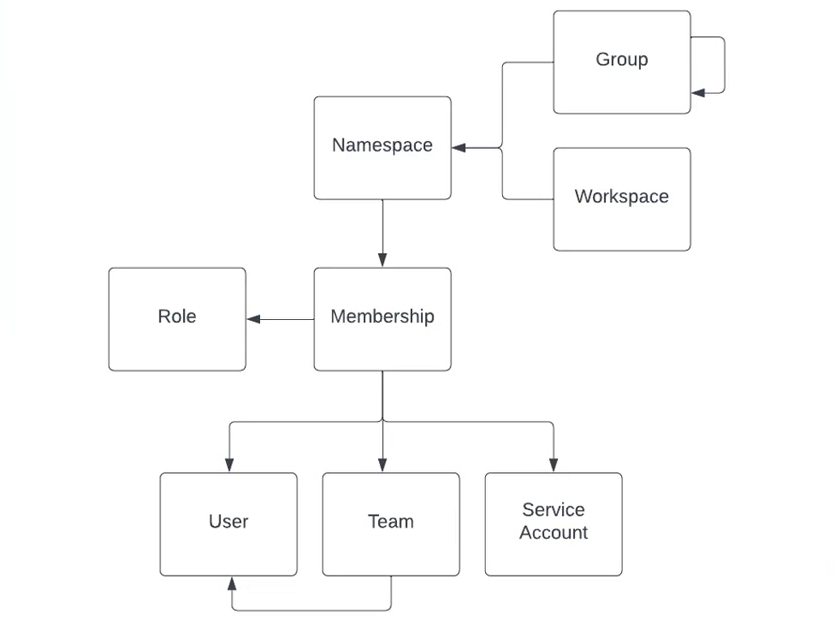
A group can have one or more subgroups and/or workspaces.
A team can also be assigned a role, making the process of access control more streamlined.
Roles and permissions
-
Tharsis offers four types of roles out-of-the-box:
- Viewer
- Read-only permissions to group or workspace.
- Can view all workspace data except sensitive data like the state file and variables.
- Publisher
- Can create, update, and delete Terraform modules and providers in the registry.
- Has read-only access to all other resources (same as Viewer).
- Cannot execute runs, manage workspaces, or modify variables.
- Intended for external teams or CI pipelines that need to publish registry artifacts without triggering infrastructure operations.
- Note: Uploading provider versions requires a GPG key to already exist in the group, which must be set up by an Owner or Deployer.
- Deployer
- Has all required permissions to configure and deploy modules.
- Can modify (create/update/delete) groups, workspaces, service accounts, etc.
- Can execute plan, apply, and teardown operations.
- Primarily for day-to-day DevOps roles.
- Owner
- Group admin permissions.
- Can manage group memberships and managed identities.
- Sets group/workspace policies.
- Viewer
-
Custom roles
(NOT YET SUPPORTED)- Useful when default roles are not sufficient.
- Provide a mechanism for assigning granular permissions to roles.
- Can only be created by system admins.
Frequently asked questions (FAQ)
If multiple memberships are specified for the same subject in a namespace hierarchy, which one takes precedence?
The first membership found while traversing up the hierarchy will take precedence.
What role should I give to a member?
We recommend following least privilege practices — a member should only have the minimum access needed to carry out their responsibilities.
- Owner — Assign to principals who need complete control over a group, including managing memberships, managed identities, and policies. Assign sparingly.
- Deployer — Assign to principals who need to configure and execute infrastructure deployments (plan, apply, teardown), manage workspaces, and create service accounts.
- Publisher — Assign to principals who only need to manage Terraform modules and providers in the registry. Ideal for external teams or CI pipelines that publish artifacts without needing to trigger infrastructure operations.
- Viewer — Assign to principals who only need read-only access to monitor or review resources without making changes.
Where can I manage the members for a group or a workspace?
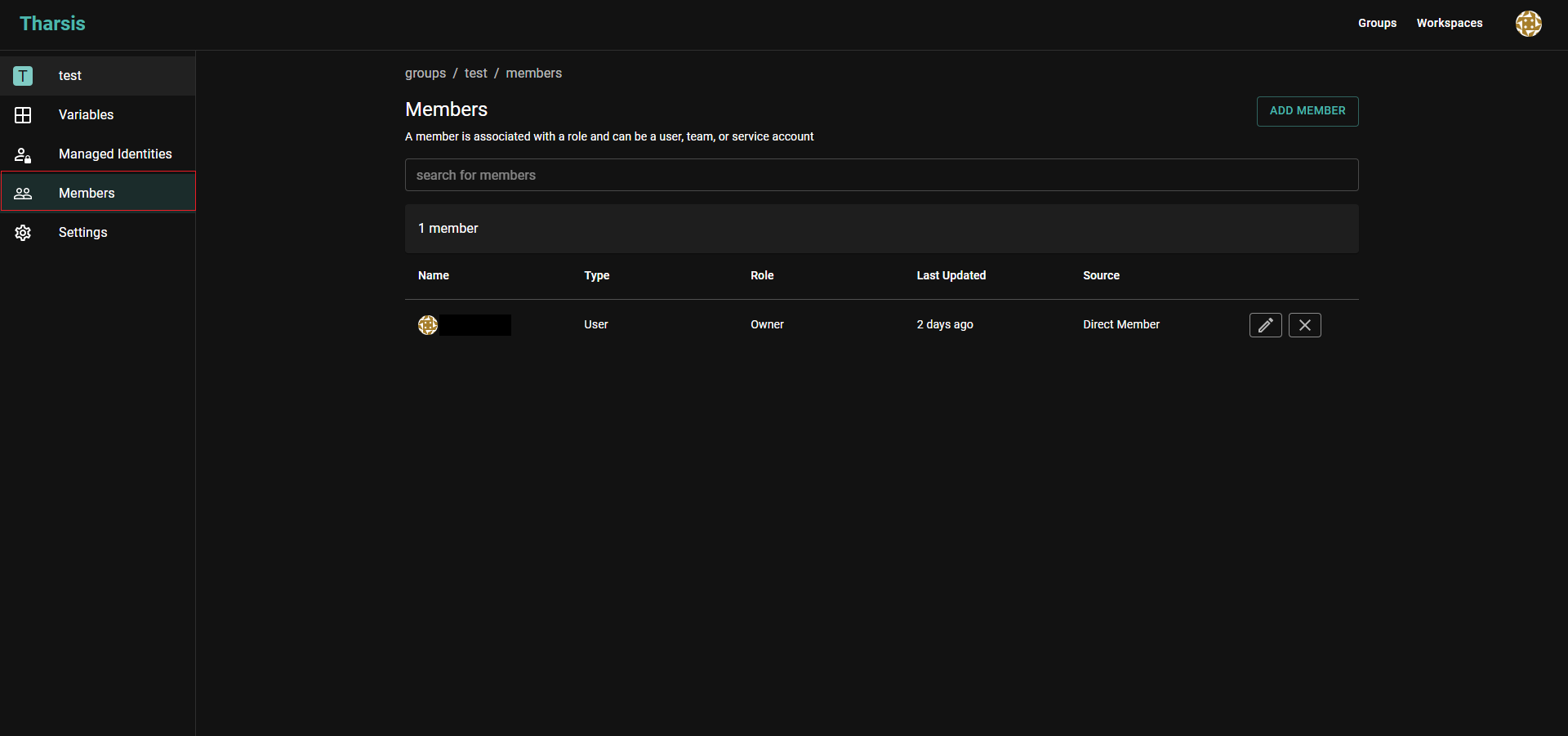
From the group/workspace details page, select the Members tab on the left sidebar.
Click here for a visual