Clean Up Old Resources with Cleanup Policies
What if old runs and versions cleaned themselves up?
A cleanup policy automatically deletes resources a namespace no longer needs, on a recurring schedule, so you set the rules once and Tharsis removes the old ones for you. Here is what cleanup policies do, with one working example.
What cleanup policies do
A cleanup policy deletes resources a namespace no longer needs. Tharsis carries out the deletions on its own, on a recurring schedule in the background. There is a separate policy for each resource kind:
- Runs: a workspace's runs. A runs policy can be set on a group or a workspace.
- Terraform Modules: module versions. A modules policy can be set on a group.
- Terraform Providers: provider versions. A providers policy can be set on a group.
Why use cleanup policies
Without a policy, a workspace keeps every run it has made, and a registry keeps every version ever published. Those build up over time, and removing the old ones one by one is slow.
A cleanup policy states what to keep and what to delete: keep a set number of the newest runs, delete anything past a set age, and never delete the ones you mark to protect. You set the rules once, and Tharsis applies them on each sweep.
How rules decide what to keep
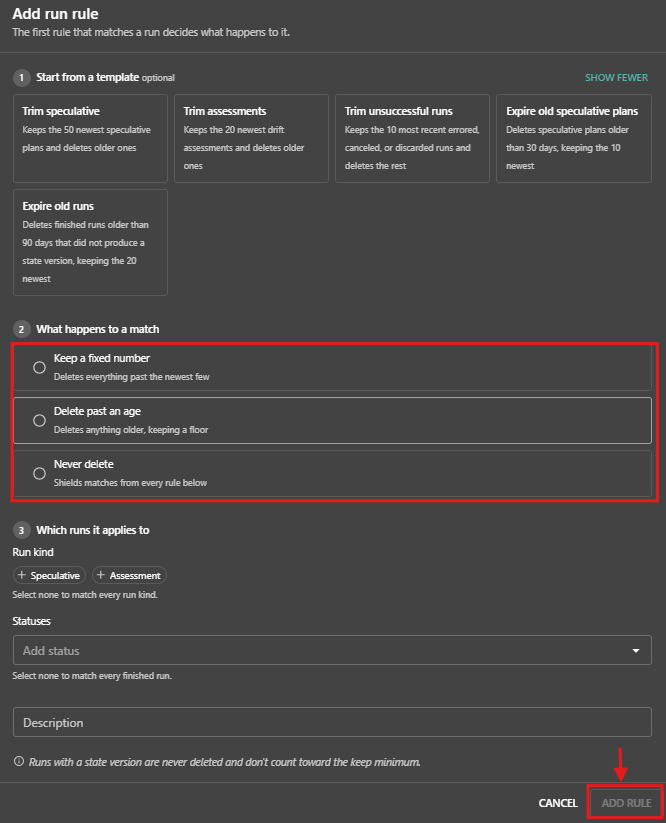
A policy holds an ordered list of rules, up to twenty. Each resource is checked against the rules from top to bottom, and the first rule that matches decides whether it is kept or deleted, so order matters. Each rule uses one of three strategies:
Keep a fixed number: keep a set number of the newest items and delete the rest. Runs only.Delete past an age: delete items older than a set number of days. For runs, it also keeps a set number of the newest.Never delete: keep every matching item, so nothing below the rule can delete it.
The available strategies depend on the kind. Runs can use all three. Modules and providers use Delete past an age and Never delete.
Because the first match wins, a Never delete rule must sit above the rules that delete. The editor keeps Never delete rules ahead of the others, so a protecting rule is never stranded below a deleting one. Saving is rejected when an earlier rule already covers everything a later rule would match.
A working example: a runs policy
A workspace that runs plans often keeps three kinds of runs worth handling differently:
- Assessment runs that hold the drift history.
- Speculative runs that build up fast.
- Finished runs that are safe to remove once they are old.
That is three rules, in this order.
Step 1: Open the Cleanup section
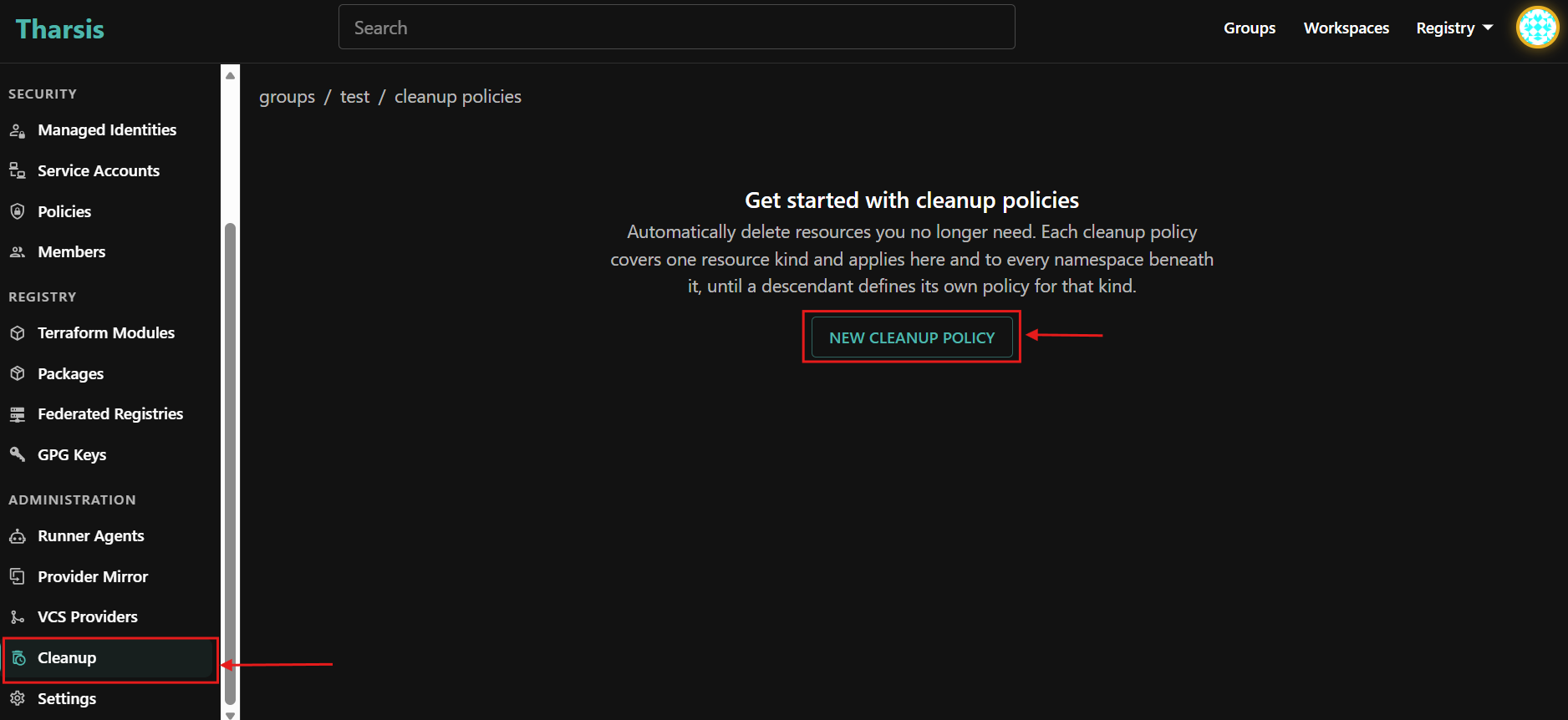
Navigate to the group or workspace and click Cleanup under the Administration section of the left sidebar. When no policy applies yet, the screen shows a get started message and a New Cleanup Policy button.
Step 2: Create a runs policy
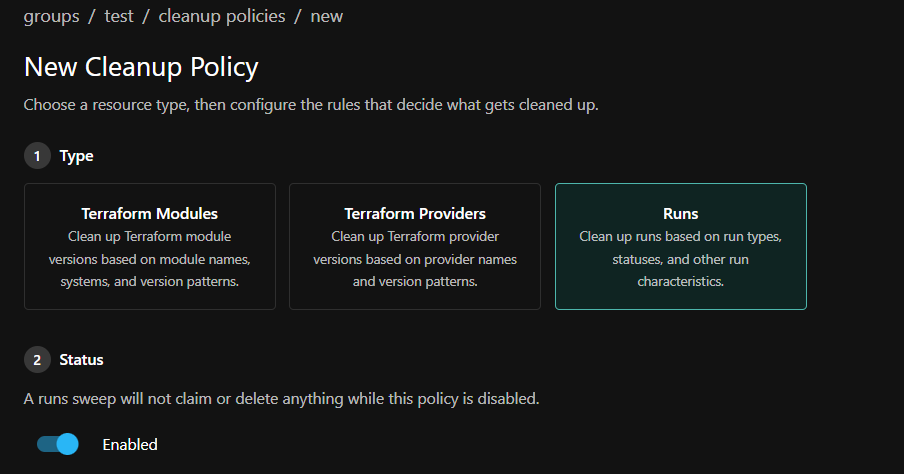
Click New Cleanup Policy, choose the Runs kind, and set it to Enabled. While a policy is disabled, it deletes nothing for that kind.
Step 3: Add the rules, in order
Add these three rules, top to bottom:
- Protect drift history — a
Never deleterule for assessment runs, which are always speculative, placed first so nothing below can remove them. - Trim speculative plans — a
Keep a fixed numberrule that keeps the 20 newest speculative runs and deletes the older ones. - Clear out the rest — a
Delete past an agerule that deletes finished runs older than 90 days, keeping the 20 newest.
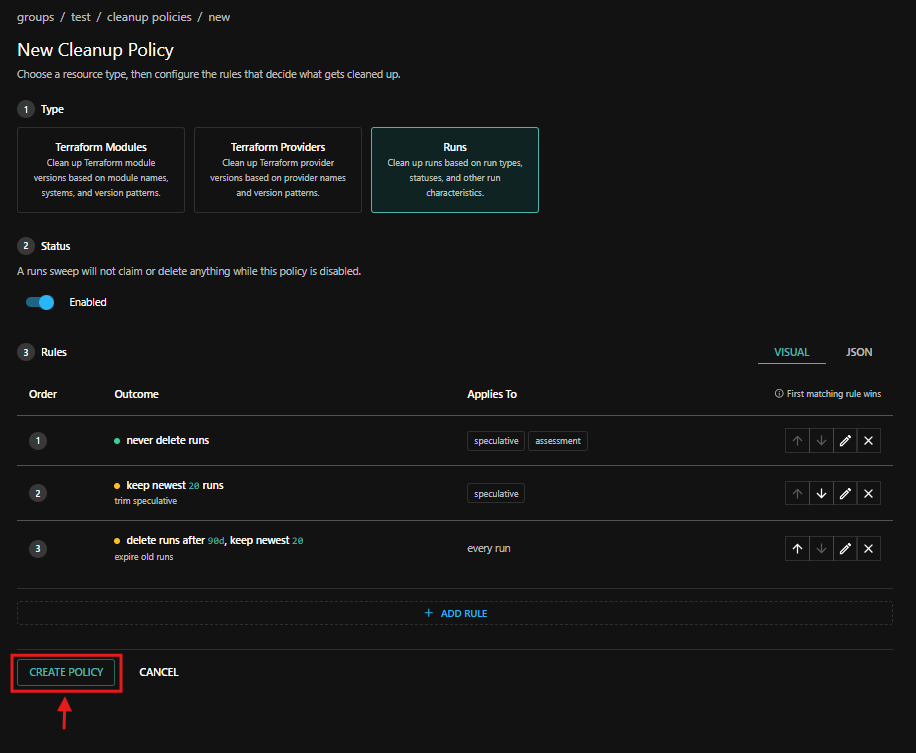
Click Create policy to save.
When you add a rule, the visual editor offers ready-made starting points for the chosen kind. Take one as a base and adjust its fields.
What is always protected
Some resources are never deleted, no matter what the rules say:
- The latest version of each module and provider.
- A run that produced a state version. Such a run also does not count toward the number of newest runs a rule keeps.
- The run behind the workspace's current drift assessment.
When deletion happens
Deletion is not immediate. Tharsis sweeps on a recurring schedule in the background, so the first deletions happen on the next sweep rather than the moment you save. Turning a policy off, or deleting it, stops its deletions.
A policy set on a group also applies to every namespace beneath it, until a namespace below sets its own policy for that kind. So one policy on a parent group can cover a whole subtree, and a workspace can take over for a kind when it needs different rules.
What you get
The newest runs and the versions you depend on stay, items past your rules are deleted on each sweep, and anything a Never delete rule matches is always kept. You set the rules once, and Tharsis applies them across the namespace and every namespace beneath it.
Learn More
- The Cleanup Policies guide for every field, limit, inheritance, and permissions.
- The Module Registry guide and Provider Registry guide for how versions are published.